10 Ways AI Could Transform Your Calendar (And Why It Might Work)
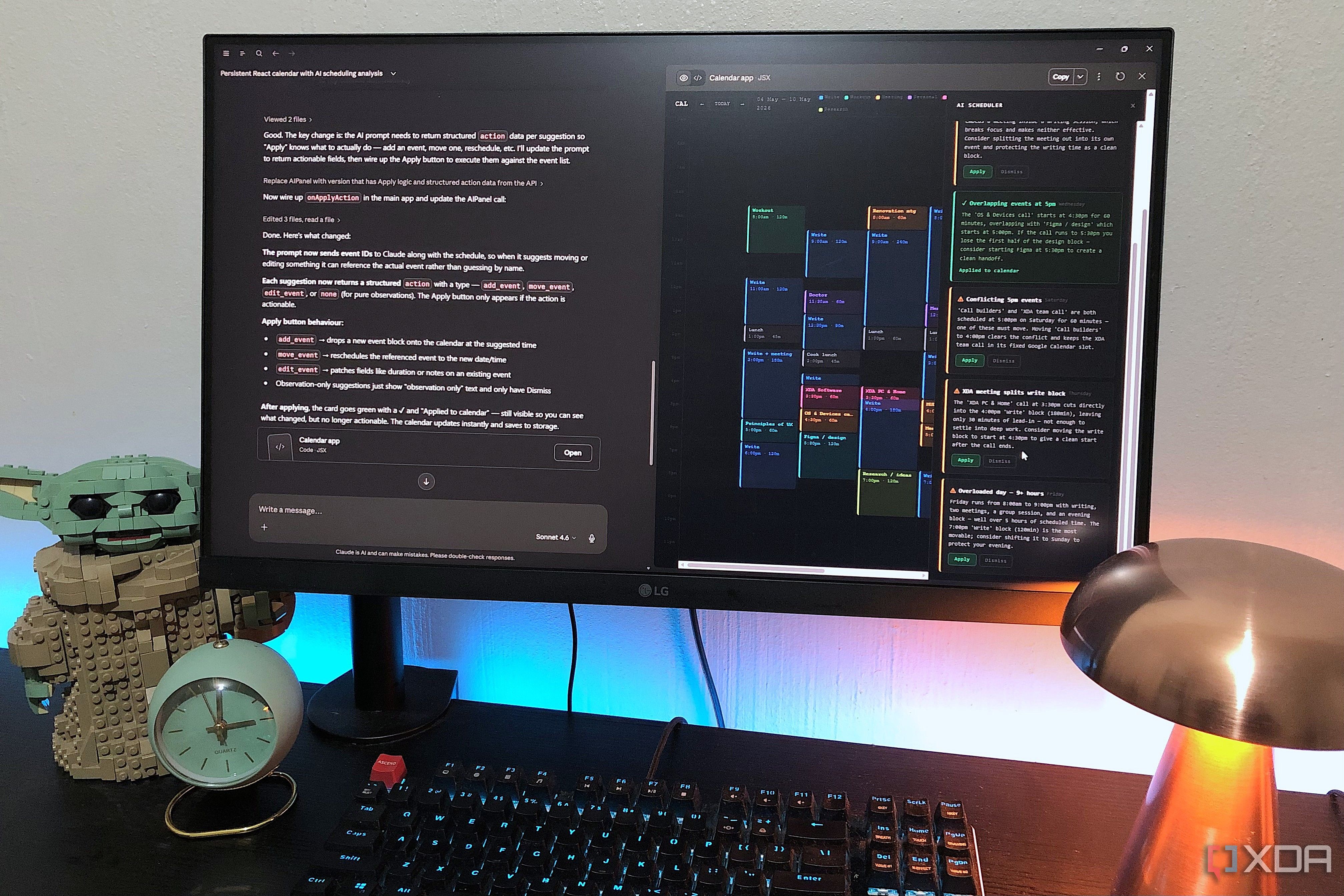
Imagine handing over the reins of your daily schedule to an AI for a whole week. That's exactly what I did with Claude, and the results were surprising. After seeing how Claude revolutionized my project management—cutting down repetitive setup and streamlining file tasks through Cowork—I realized scheduling was the natural next step. Here are ten insights from my experiment that reveal how AI can not only manage your calendar but do it better than you.
1. Contextual Awareness That Saves Time
Claude doesn't just add events; it understands the context. Before I even type a task, it knows what I'm working on based on past projects and notes. This eliminates the need to manually describe each commitment. For instance, if I have a recurring meeting with the design team, Claude automatically slots in prep time and follow-ups. It's like having an assistant who knows your workflow inside out, cutting down the mental overhead of planning each day.
2. Dramatically Reduced Setup Effort
One of the biggest wins was how little effort I had to put into setting up my schedule. Typically, I'd spend 15 minutes each morning aligning tasks, but with Claude, that dropped to almost zero. It learned my habits—like preferring deep work in the mornings and meetings after lunch—and built blocks accordingly. The result? More time actually doing work instead of planning it.
3. Seamless File and Task Integration
Using Cowork, Claude connected directly to my file management and task lists. When a deadline shifted, it automatically adjusted my calendar and attached relevant documents. No more switching between apps or manually updating link. This integration meant my schedule remained in sync with actual progress, preventing double bookings or missed deadlines.
4. Proactive Conflict Resolution
Claude didn't just accept my inputs—it flagging conflicts before they happened. If a meeting extended beyond its slot, it would suggest rescheduling less critical events. It also detected patterns, like when I had back-to-back calls, and inserted breaks. This proactive approach prevented burnout and kept my day flowing smoothly.
5. Optimized Time Allocation
The AI analyzed my past productivity to allocate time more efficiently. For example, it learned that creative tasks took me longer after lunch, so it scheduled them for mornings. Similarly, admin tasks were compressed into short bursts. This data-driven optimization meant I accomplished more in less time, without constantly checking the clock.
6. Adaptive Priority Management
Priorities change, and Claude adapted instantly. When an urgent client request came in, it reshuffled my calendar, postponing low-priority items while keeping critical deadlines intact. It even sent me a summary of what was rescheduled and why. This flexibility felt like having a highly responsive personal assistant who always put first things first.

7. Natural Language Scheduling
Instead of clicking through forms, I could just say, "Schedule a review for next Tuesday afternoon." Claude parsed the intent, checked availability, and set it up. This natural language interface made scheduling feel like conversation, not data entry. Even complex requests—like "every second Monday at 3 PM for the next quarter"—were handled flawlessly.
8. Improved Work-Life Balance
By taking over scheduling, Claude helped me reclaim evenings and weekends. It automatically blocked personal time and flagged any work events that encroached. Over the week, I noticed fewer late-night emails and more consistent breaks. The AI's ability to enforce boundaries that I often ignored was a game-changer for mental health.
9. Granular Reporting and Insights
At the end of the week, Claude generated a detailed report: how much time I spent on various activities, adjustments made, and suggestions for improvement. This transparency helped me understand my own patterns. For example, I discovered I was overcommitting to meetings—a realization that led to better boundaries going forward.
10. Future Possibilities Are Limitless
This experiment showed that AI calendar control is just the beginning. As Claude learns more, it could integrate with other tools—email, travel booking, even health apps. The potential for a fully autonomous scheduling system is real, one that not only manages time but enhances how we live and work. I, for one, am never going back.
Handing over control of my calendar to Claude was an eye-opening experience. From reducing setup time to improving work-life balance, the AI outperformed my own scheduling in nearly every aspect. While it might feel intimidating at first, the results speak for themselves: a more productive, less stressful week. If you're ready to let go of manual planning, this is the future you've been waiting for.