Transforming a Vintage iPod Nano into a Triple-Monitor Workstation: A Quirky Tech Experiment
Introduction
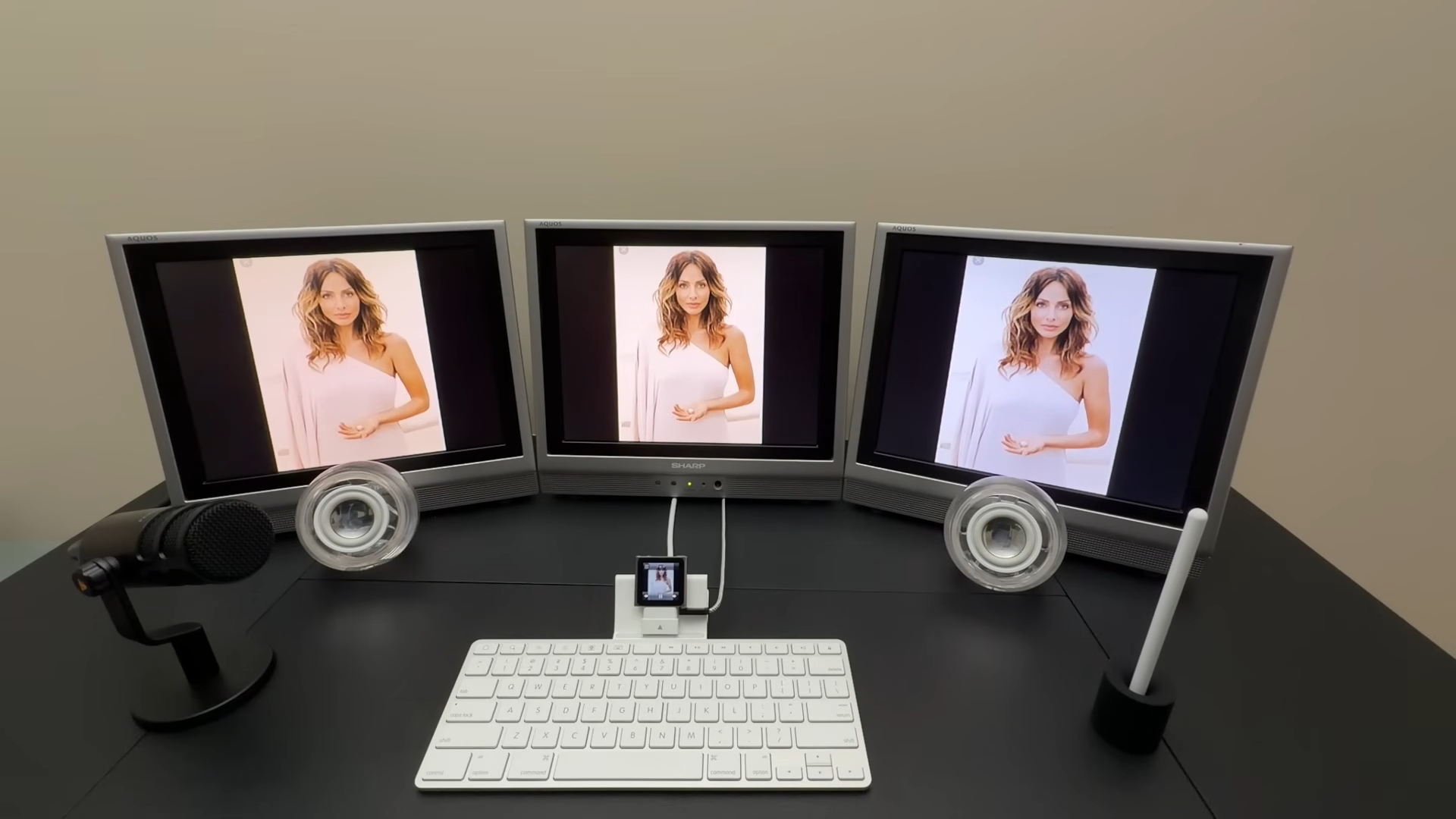
Triple-monitor workstations have become a staple for professionals seeking maximum screen real estate to boost productivity. But what if you could achieve that multi-screen look with something as tiny as an iPod Nano? That's exactly the playful challenge taken on by the folks at Will It Work?, who hooked a sixth-generation iPod Nano up to three external monitors. The result? A visually striking setup that looks like a serious productivity rig at first glance—until you realize the brain of the operation is a clip-on music player from over a decade ago.
The Hardware Behind the Hack
The sixth-generation iPod Nano, introduced in 2010, is the postage-stamp-sized model designed for fitness enthusiasts, with a built-in clip and a small touchscreen. It's not exactly a candidate for a multi-display powerhouse, but with the right adapters, it can output composite video. The key component is the 30-pin Keyboard Dock, originally made for the iPad, which exposes the iPod’s composite video signal via its 30-pin connector. To make the dock fit the Nano, a 30-pin spacer adapter is needed—though the dock’s keyboard keys remain non-functional with the Nano.
The dock also includes a 3.5mm four-pole jack that handles both audio input and output. From there, a series of cables and adapters route the video signal to three Sharp LCD monitors and connect an Apple Pro speaker set. The entire chain transforms the iPod Nano into the unlikely heart of a triple-screen workstation.
Necessary Components
- Sixth-generation iPod Nano (with 30-pin connector)
- 30-pin Keyboard Dock (iPad-compatible)
- 30-pin spacer adapter
- Composite video breakout cables
- Three Sharp LCD monitors (or any composite-ready displays)
- Apple Pro speakers (optional)
- Various audio and video adapters
Setting Up the Triple-Screen iPod
To achieve this unusual configuration, the iPod Nano is seated in the dock with the spacer adapter ensuring a snug connection. The dock’s composite video output is split and sent to each of the three monitors, causing them all to display the same mirrored image. The 3.5mm jack feeds audio to the speakers. While the physical assembly is straightforward, the real magic—and the joke—lies in the contrast between the minuscule iPod and the towering bank of screens.
It’s important to note that the dock’s keyboard functionality is useless here; the Nano simply doesn’t have keyboard support in its operating system. Interaction remains limited to the iPod’s own tiny touchscreen.
Real-World Usability? (Or: What Can You Actually Do?)
Functionally, this triple-monitor setup is more spectacle than tool. The iPod Nano’s operating system is extremely limited—there are no third-party apps, no web browser, and no multitasking. Your options are essentially confined to the built-in media player. You can play music, view slideshows of photos, and record voice memos. The three monitors all show the exact same content, merely magnifying the iPod’s small display across a colossal canvas.
Supported Activities
- Music playback: Navigate your playlist on the tiny screen while the album art fills three large monitors.
- Photo slideshows: Display your pictures in triple-wide glory—great for retro-themed art installations.
- Voice memos: Record audio using the built-in microphone; the Pro speakers let you play it back loudly.
For any productive work—word processing, coding, spreadsheet editing—this setup is a non-starter. But that’s precisely the point: it’s a fun joke build that delights in the sheer absurdity of a decade-old iPod driving a modern multi-monitor arrangement.
The Fun Factor and Practical Jokes
Despite its lack of utility, this hack has undeniable entertainment value. Imagine setting it up in an office or a podcast studio: at a glance, it resembles a serious workstation, complete with three large screens and premium speakers. Only on closer inspection does the tiny iPod Nano come into view, revealing the ruse. If you want to blow the mind of your next podcast guest, consider recording an episode on this rig. The visual impact alone is worth the effort.
For those inspired to explore further, the iPod Nano platform has spawned numerous other hacks—think external storage, GPS add-ons, or even game controllers. Check out the related hacks section for more creative projects.
Conclusion
The triple-monitor iPod Nano is a perfect example of tech experimentation for its own sake. It’s not about productivity or efficiency; it’s about the whimsy of repurposing old hardware in unexpected ways. Whether you build it for a laugh, a prank, or a nostalgic trip back to the early 2010s, this setup proves that sometimes the best projects are the ones that make you smile.