Epiq: A Terminal-First Distributed Issue Tracker Powered by Git
Epiq reimagines issue tracking by bringing it directly into your terminal and leveraging Git for seamless collaboration. Unlike traditional trackers that live outside your workflow, Epiq uses user-scoped immutable event logs that converge in memory, enabling multi-user teamwork without external servers. Below we answer common questions about this innovative TUI tool.
What is Epiq and how does it differ from traditional issue trackers?
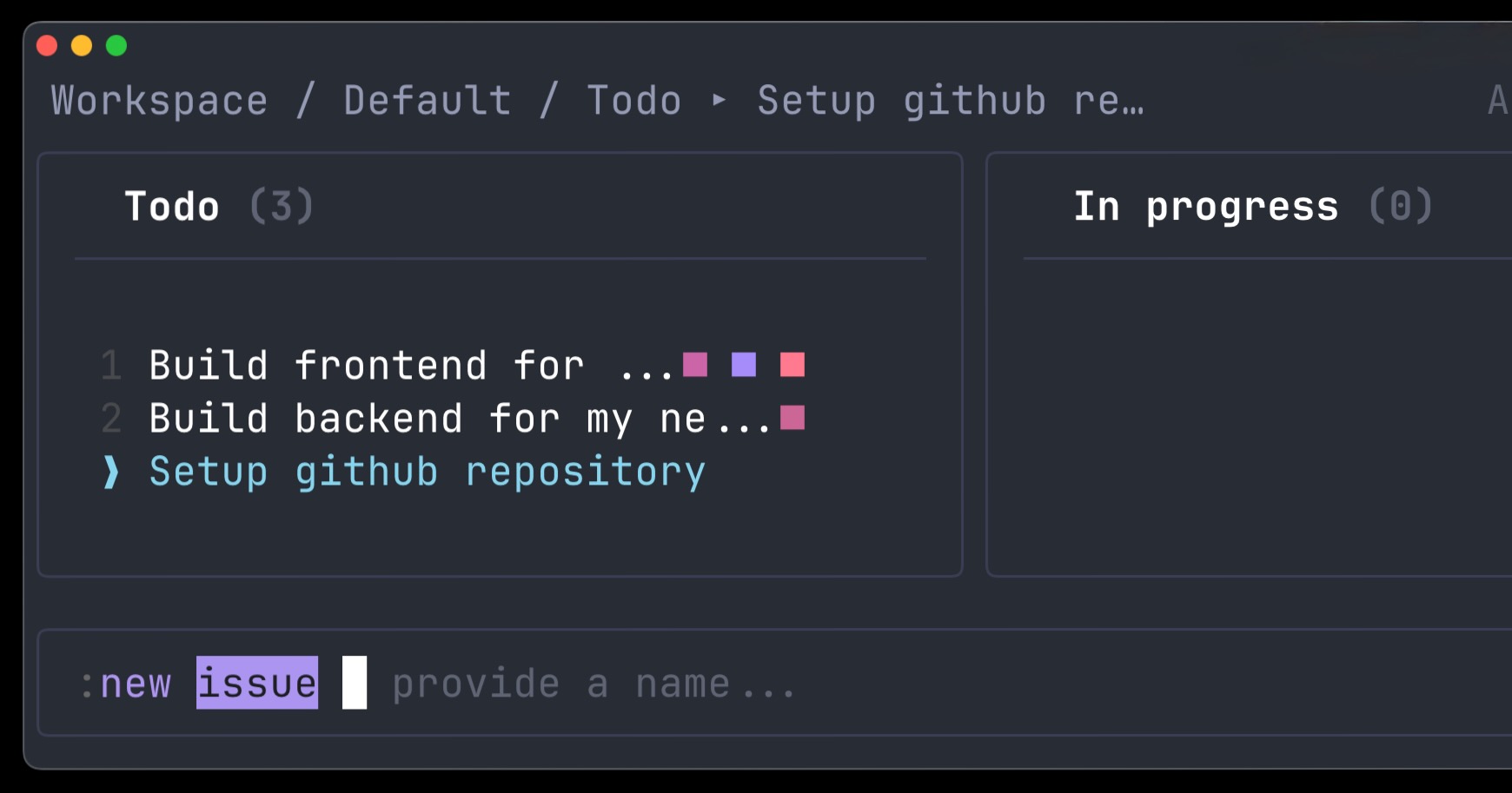
Epiq is a distributed, Git-based issue tracker that runs as a terminal user interface (TUI). Traditional issue trackers like Jira or GitHub Issues require you to leave your terminal and navigate web interfaces or dedicated apps, which disrupts your workflow. Epiq solves this by embedding issue management directly into the command line. It uses user-scoped immutable event logs that sync via Git—each user’s actions are recorded as events that converge in memory. This means there’s no central database or server; collaboration happens peer-to-peer through Git repositories. Developers can manage issues without switching contexts, improving productivity and reducing friction.
How does multi-user collaboration work in Epiq?
Epiq achieves collaboration through a Git-based event log architecture. Each user maintains their own immutable log of events (e.g., creating, updating, or commenting on issues). These logs are scoped per user, so changes are recorded independently. When users share a Git repository, these logs are merged and converge in memory to form a consistent view. Because events are immutable and sorted by time, conflicts are avoided naturally—no need for locks or central coordination. Epiq runs entirely offline if desired; when you push or pull via Git, the logs sync with teammates. This approach makes it ideal for distributed teams or open-source projects that already use Git.
Why does Epiq choose a terminal-based interface over a web UI?
Epiq’s TUI design focuses on low friction and high speed. Developers often spend most of their time in the terminal—editing code, running builds, and using Git. A web-based issue tracker forces context switching, breaking flow. By staying in the terminal, Epiq lets you manage issues without leaving your development environment. It uses keyboard-driven navigation, vim-like shortcuts, and fast rendering, making it efficient for power users. The TUI also works over SSH or on servers without a display, which is a must for remote development setups. While it sacrifices some graphical polish, it gains responsiveness and integration with command-line workflows (e.g., piping to other tools).
How are issues stored and synced across users?
Issues in Epiq are stored as events in a Git-managed log. Each event is a JSON-like record that describes a change (e.g., IssueCreated, CommentAdded). These events are immutable, meaning once recorded, they cannot be altered (only superseded by new events). Each user’s events are scoped to their identity. When you git push and git pull, the event logs are transferred like any other Git data. Epiq then replays all events from all users in time order to construct the current state of each issue in memory. This event-sourcing model ensures convergence without conflict—no two users can edit the same event. It also provides a full audit trail of every change.
Can Epiq handle large projects with thousands of issues?
Epiq is designed to be lightweight and scalable. Because it replays events in memory, the performance depends on the number of events, not necessarily the number of issues. For typical projects (hundreds or a few thousand issues), Epiq runs smoothly. For very large projects (tens of thousands of issues), the initial load time increases as the event log grows. However, since events are immutable and batch-processed, indexing improvements could reduce latency. The developer behind Epiq has focused on efficient data structures using Rust (implied by the TUI libraries), so it handles most open-source and small-to-medium team projects well. For enterprise scale, users might need to limit the event history or use filters.
How does Epiq integrate with existing workflows and tools?
Epiq integrates primarily through Git: any project that uses Git can adopt Epiq by adding the event log files to the repository. It does not require a web server or database. This makes it compatible with GitHub, GitLab, or any Git hosting. You can also script interactions with Epiq via its command-line interface (CLI) or by directly manipulating the log files. For teams that need web-based views, Epiq could be paired with a bridge tool, though that’s not part of the current release. The TUI itself can be embedded in tmux or screen sessions. Its keyboard-centric design works well with tools like fzf or ripgrep for searching.
What are the risks or limitations of using a distributed Git-based tracker like Epiq?
One risk is merge complexity—while events are immutable, if two users create events at the same time and both push, Git will merge the logs normally, but the order of events from different users might interleave in non-deterministic ways. Epiq relies on timestamps and clock synchronization to order events, which can be tricky across time zones. Privacy is another concern: issue contents are stored in plain text in Git history, so sensitive data might be visible forever. Also, because there’s no central server, features like email notifications or webhooks require additional setup. The TUI may have a steeper learning curve for non-terminal-savvy users. Finally, large event logs can make cloning the repository slower, though this is mitigated by shallow cloning.