How to Use Physics-Based Simulation to Design a Better Violin
Introduction
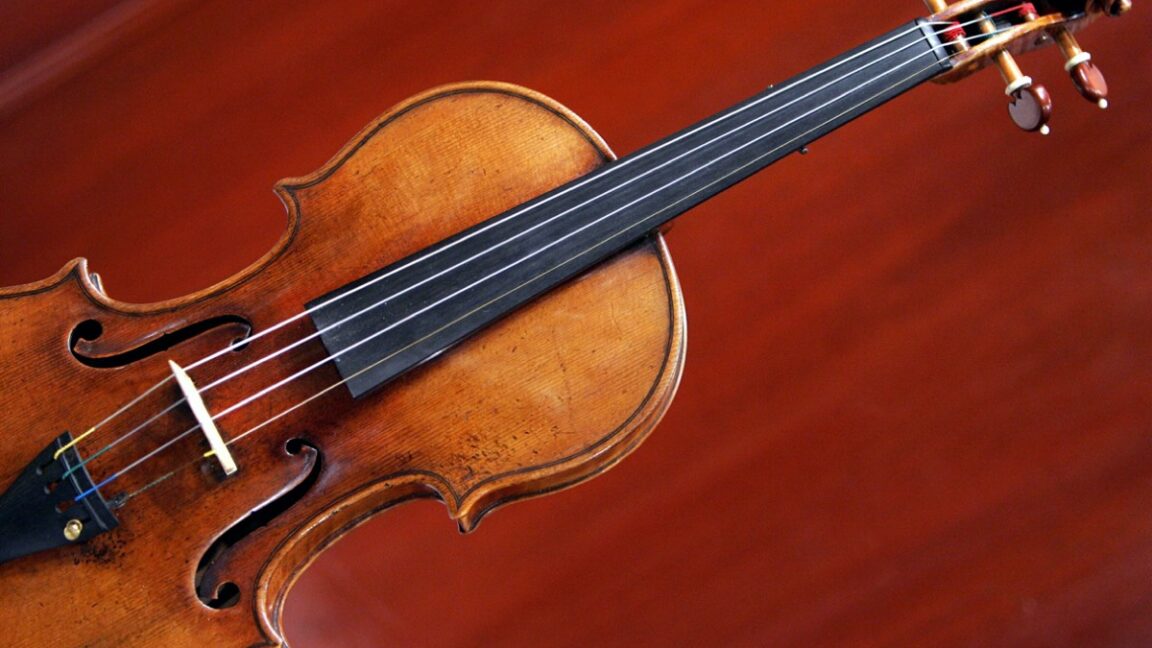
Luthiers have long relied on hands-on craftsmanship to shape a violin's voice. But modern physics-based simulation tools, like the one developed at MIT, can now complement that intuition. By modeling the true acoustics of a violin—the vibrations of strings, bridge, and body—you can explore designs digitally before cutting wood. This guide walks you through using a virtual violin simulator to refine your next instrument.
What You Need
- A computer with a physics simulation environment (e.g., MATLAB, COMSOL, or the MIT team's open-source code if available)
- Basic understanding of violin geometry (arch heights, plate thickness, f-hole shape)
- Material properties data (density, stiffness, damping for spruce, maple, ebony)
- Acoustic measurement software or plugin to listen to simulated sound
- Time and patience for iterative refinement
Step-by-Step Instructions
Step 1: Define the Violin Geometry
Start by inputting the exact dimensions of your violin model. Most physics-based simulators require the shape of the top and back plates, the curvature of the arch, and the outline of the f-holes. Enter these as 3D mesh or parametric curves. If you have a reference instrument, measure and digitize its profile. The more accurate the geometry, the more realistic the simulation.
Step 2: Assign Material Properties
Specify the wood species and their anisotropic constants: longitudinal and radial modulus of elasticity, density, and damping coefficients. For historical accuracy, use documented values from old Cremonese instruments. The simulator will calculate how each region vibrates. Remember that even small changes in density can shift resonance frequencies.
Step 3: Set Boundary Conditions
Define how the violin is supported – typically at the chinrest and shoulder contact points. In the simulation, these become constraints that affect vibration patterns. You can also model the air cavity inside the body. The virtual violin must 'float' like a real one, not be clamped rigidly.
Step 4: Run the Modal Analysis
Execute a frequency-domain simulation to find the natural vibration modes. The software will output a set of mode shapes and their resonant frequencies. Look for the first few cavity and plate modes (A0, B1-, B1+). These dominate the violin's sound. Compare them to known desirable targets (e.g., A0 near 280 Hz for a standard violin).
Step 5: Simulate a Plucked String
To hear the virtual violin, simulate an impulse on the string (like a bow but simpler). The MIT tool does this by coupling the string model to the body model. Listen to the resulting sound. Use headphones or a high-quality speaker. Note the presence of nasal, bright, or hollow qualities. This is your baseline.
Step 6: Modify Parameters and Re-simulate
Change one variable at a time – for example, increase the arch height or thin the plate. Run the simulation again. Observe how the modal frequencies shift and how the tone changes. This is the core of the design tool: rapid iteration without carving wood. Keep a log of changes and their sonic effects.
Step 7: Validate with Physical Prototypes
Once you find a promising virtual design, build a physical prototype. Measure its actual response (using a microphone and impact hammer) and compare with the simulation. Adjust the physical model to match. This hybrid approach reduces waste and speeds up the traditional trial-and-error process.
Tips for Success
- Start with a well-known model (e.g., a 'Stradivari' shape) as your baseline in Step 1.
- Use a single string plucked at multiple positions to check consistency – a good simulation will match at all points.
- Don't aim for perfect sound from the start; focus on modal frequencies – they are more objective.
- Remember that simulation cannot capture every nuance – the artisan's touch (varnish, setup) still matters.
- Join online forums or academic groups that share simulation data; collaboration accelerates learning.
By embracing this virtual tool, you can explore hundreds of design variations in a day. It won't replace your craft, but it will certainly enhance it.